[1.4.0] Add custom sorting for budget books, accounts, categories and reminders

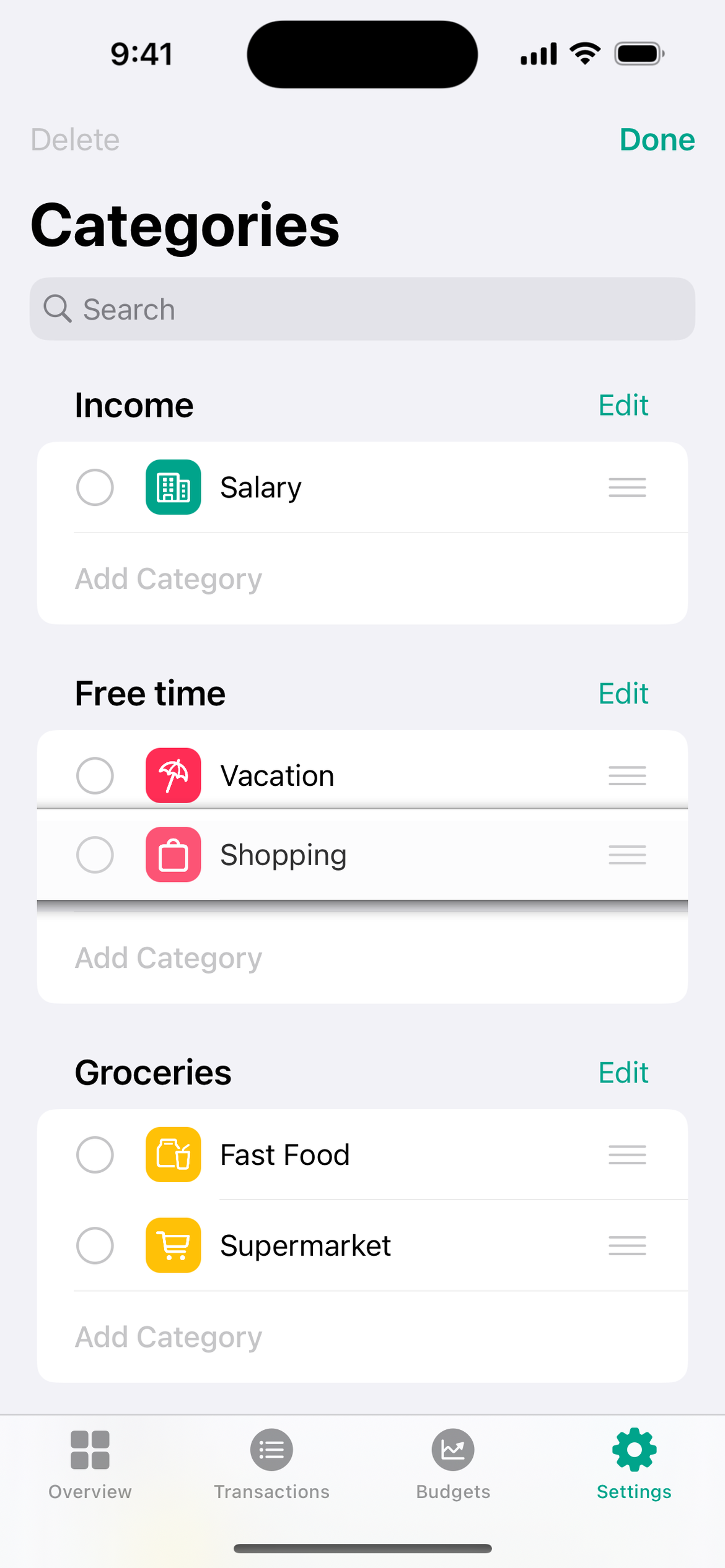
Currently, the default sort order for budget books, accounts, categories and reminders is alphabetical in the selection list. However, if a user has, for example, several payment accounts or categories within a folder, it is sometimes useful if he could manually adjust the order so that it better suits his needs.
Example:
Log in to comment and vote
Comments2
Trevor Schmidt
Oct 5, 2023
One thing I’d like is to let different tabs have different scopes. In the transactions tab, I prefer to have it list all transactions from the whole year, but in the budget tab, I’d rather have it only show this month. Let me know if I should make a new ticket for this or if this works just as a comment.
Fabian
Oct 5, 2023
Hi Trevor,
I think it would be best if you could create a new feature item for this. This one is about being able to manually sort the individual entries (e.g. categories). For a better understanding I added a picture to the description where the result is clarified :-)
Best regards
Fabian