Budget amount not saved correctly

Hi @Fabian
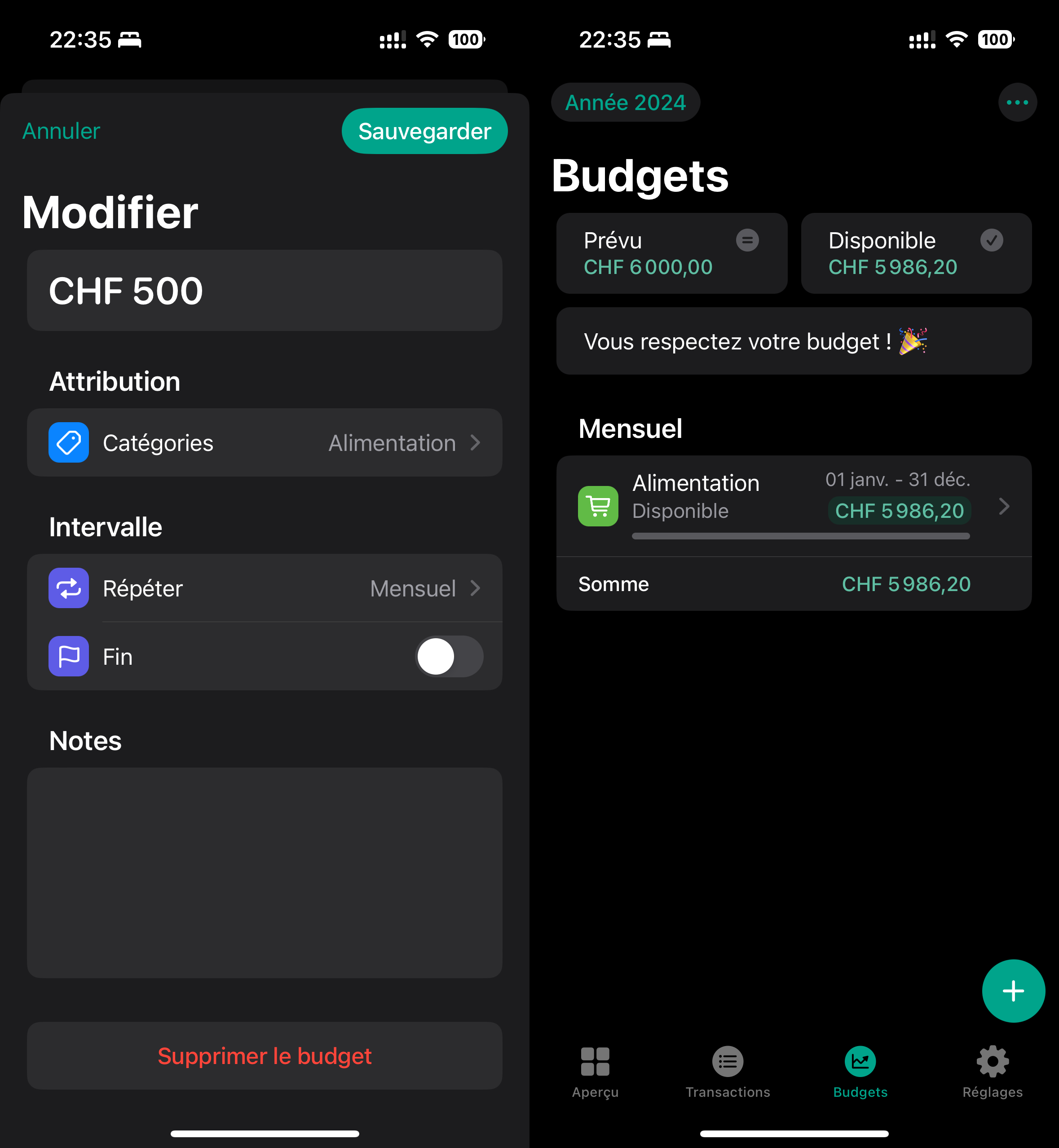
Just wanted to report a bug I encountered when saving the amount of a budget (see attached images).
Steps:
- Got to the Budgets tab
- Create a new Budget
- Type in the desired amount in CHF (Swiss Francs)
- Add a category previously created
- Select monthly repetition
- Save
The displayed amount in the Budget screen is way different from the amount previously saved.
I would appreciate the fix.
Thank you for your app, it rocks !
More info:
- App version: 1.6.6
- IOS version: 17.5.1
- System Language: French
- Region: Switzerland
- Currency: Swiss Francs (CHF)
Log in to comment and vote
Comments2
Fabian
Jun 5, 2024
Hi @khronozz,
thank you for your two bug reports. I plan to include the one with the missing translation in the next update. However, the fact that the budget amount is displayed differently in the overview is intended behavior.
The displayed available amount of a budget changes depending on the selected time period, i.e. if a certain month is selected, then for that month, and if a year is selected, then for that year. For this reason, the amounts are calculated according to the selected period. The reason for this is that you can see, for example, whether you are within the monthly limit for an annual budget.
If you want to see the available budget for this month, simply change the period to the current month using the “Year” button at the top left of the budget page. Similarly, if you want to extrapolate a monthly budget to a full year, you can select the current year in the period selection view. Additionally, you can also select a custom time period (e.g. next two weeks) to calculate the budget for that time period.
I hope I was able to answer your question :)
khronozz
Jun 5, 2024
Hi @Fabian,
Thank you for your quick response. Now I see my mistake for the budget configuration.
Have a nice day