[1.6.14] Initial Balance while creating new account

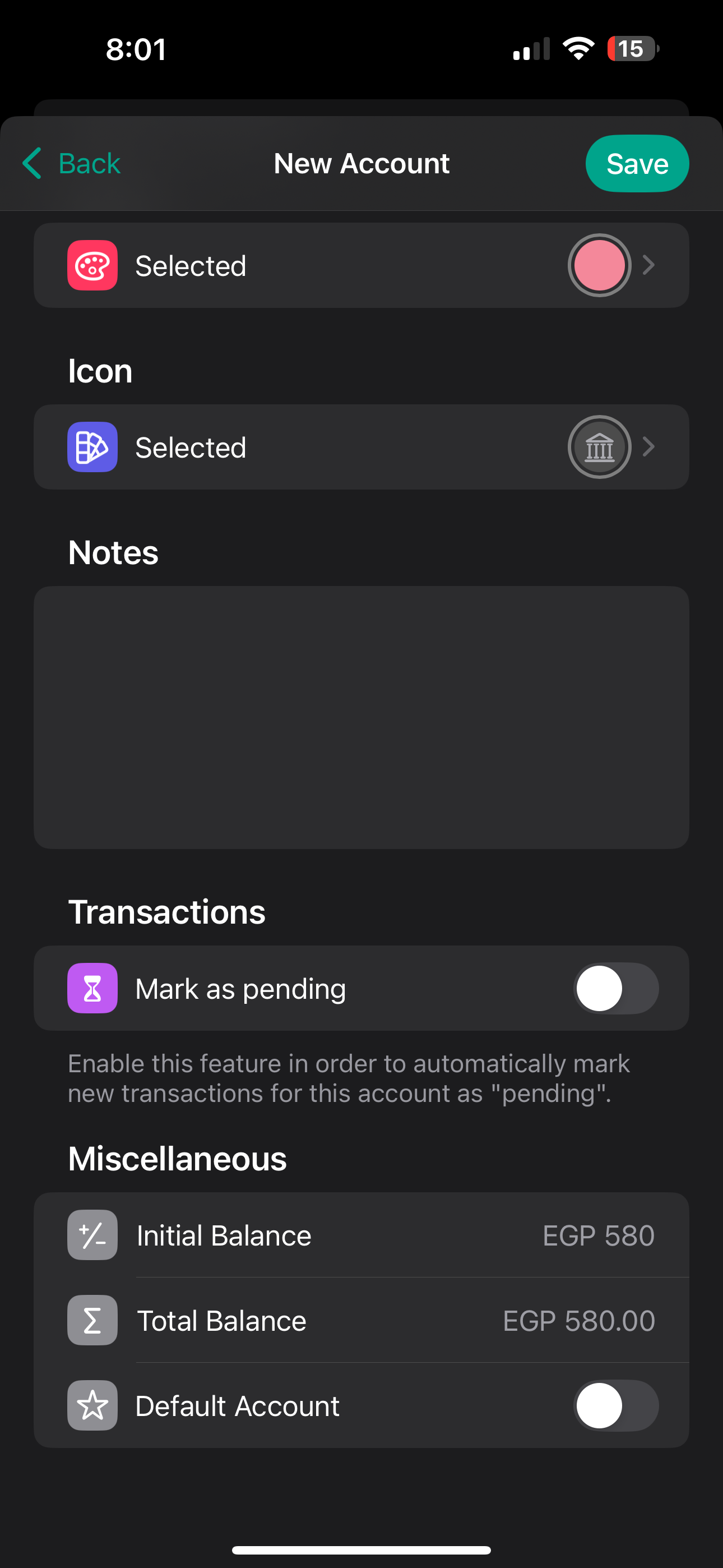
I cannot start entering an Initial Balance unless I first remove the 0.00 entered. I’m also not sure what’s the difference between the initial balance and the total balance since both change together when changing either field.
Log in to comment and vote
Comments4
Fabian
Aug 4, 2024
Hi @mhmd21,
Thanks for the bug report. I will now adjust the behavior for the next update so that no decimal places are displayed if the initial balance is 0 (as with new transactions). This means that you no longer have to delete them beforehand.
Regarding your question: The difference between the initial balance and the total balance is that the initial balance is the original account balance, i.e. if you start with the app and don't want to add all transactions, you can enter the initial account balance. The total balance, on the other hand, is calculated automatically based on your initial balance and the sum of all transactions entered. In order to easily adjust the account balances in case they diverge in the app from your real bank account, you can also set the total account balance here. This simply adjusts the initial balance, which is why it also changes.
I hope I was able to answer your question :)
mhmd21
Aug 4, 2024
@Fabian Thank you so much for your detailed answer! I see your point about allowing both initial and total balance changes. However, wouldn't it make more sense to only allow changing the initial balance when first creating an account, and then only allow adjusting the total balance when editing later on? This could help avoid confusion between the two values.
Fabian
Aug 5, 2024
@mhmd21 Yes, you could solve it this way, but this could also be confusing for some (e.g. if someone has set the initial balance and realizes later that he has made a mistake and wants to change it again. Then you first have to realize that now only the current account balance can be changed). However, I will look at the behavior again for https://budgetflow.featurebase.app/de/p/balance-adjustment-record.
Alejandro Ponce
Jul 22, 2024
The same thing happened to me, I can't enter numbers with the keyboard unless I first press the +/- button so then the keyboard is enable for typing numbers. This happens when adding a new account with an initial balance.