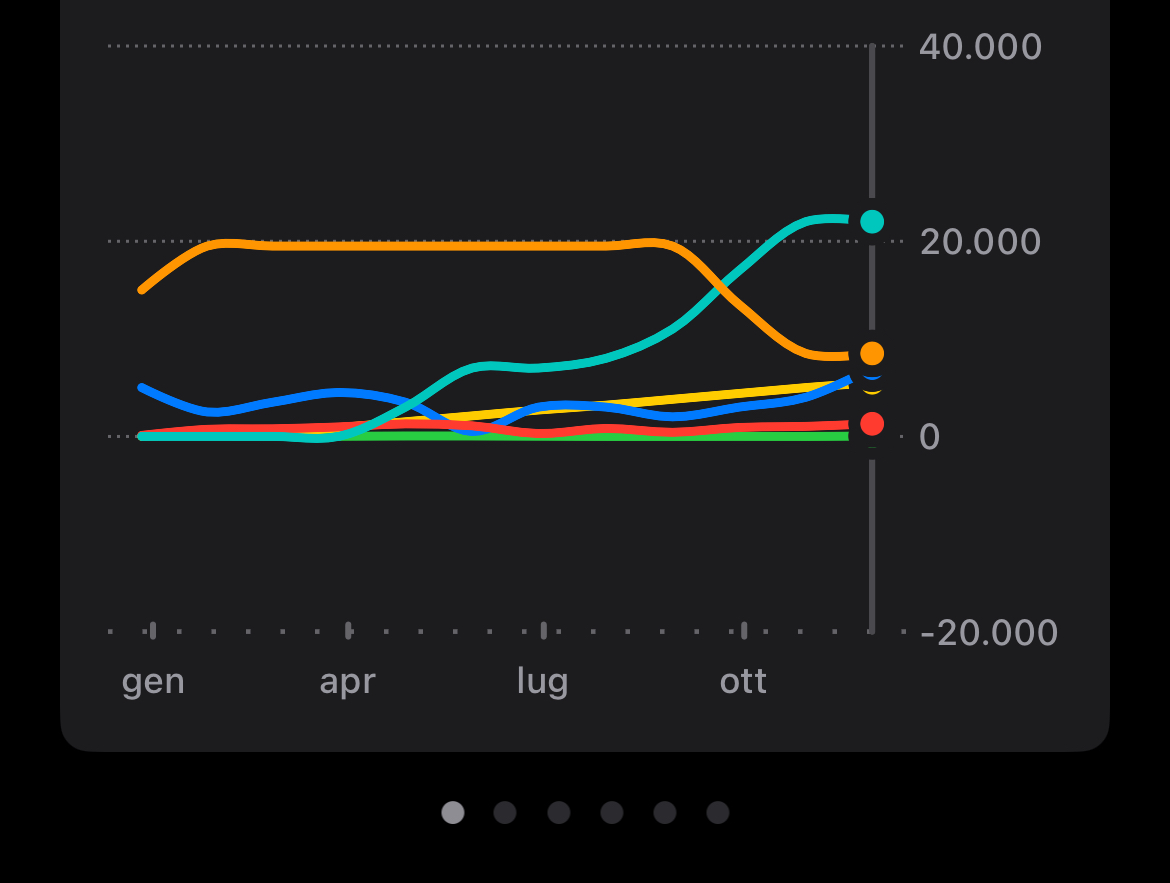
This is actually the expected behavior as the chart widget’s range is designed to provide a bit of extra space above and below the minimum and maximum values for better readability.
Let me know if you have any other questions!
Best regards, Fabian
Twindad
•
Jan 3, 2025
Hi @Fabian , thank you for the reply.
Ok I can understand but the fact is that the widget behavior is inconsistent: it starts without extra range then, when I add an entry, it shows extra range… then, maybe I switch widget and return to it, it shows no extra range again.

Log in to comment and vote
Comments2
Fabian
Jan 3, 2025
Hi @Twindad,
Thank you for your message!
This is actually the expected behavior as the chart widget’s range is designed to provide a bit of extra space above and below the minimum and maximum values for better readability.
Let me know if you have any other questions!
Best regards,
Fabian
Twindad
Jan 3, 2025
Hi @Fabian , thank you for the reply.
Ok I can understand but the fact is that the widget behavior is inconsistent:
it starts without extra range then, when I add an entry, it shows extra range… then, maybe I switch widget and return to it, it shows no extra range again.
Only puor parler.
Thank for your work