[1.6.0] Easier and faster way for adding a new transaction.

Arguably the most used part of this app is adding a new transaction. The process of doing that should be as user friendly, quick and enjoyable as possible.
Right now I see two issues that I would like to address and maybe suggest a better way.
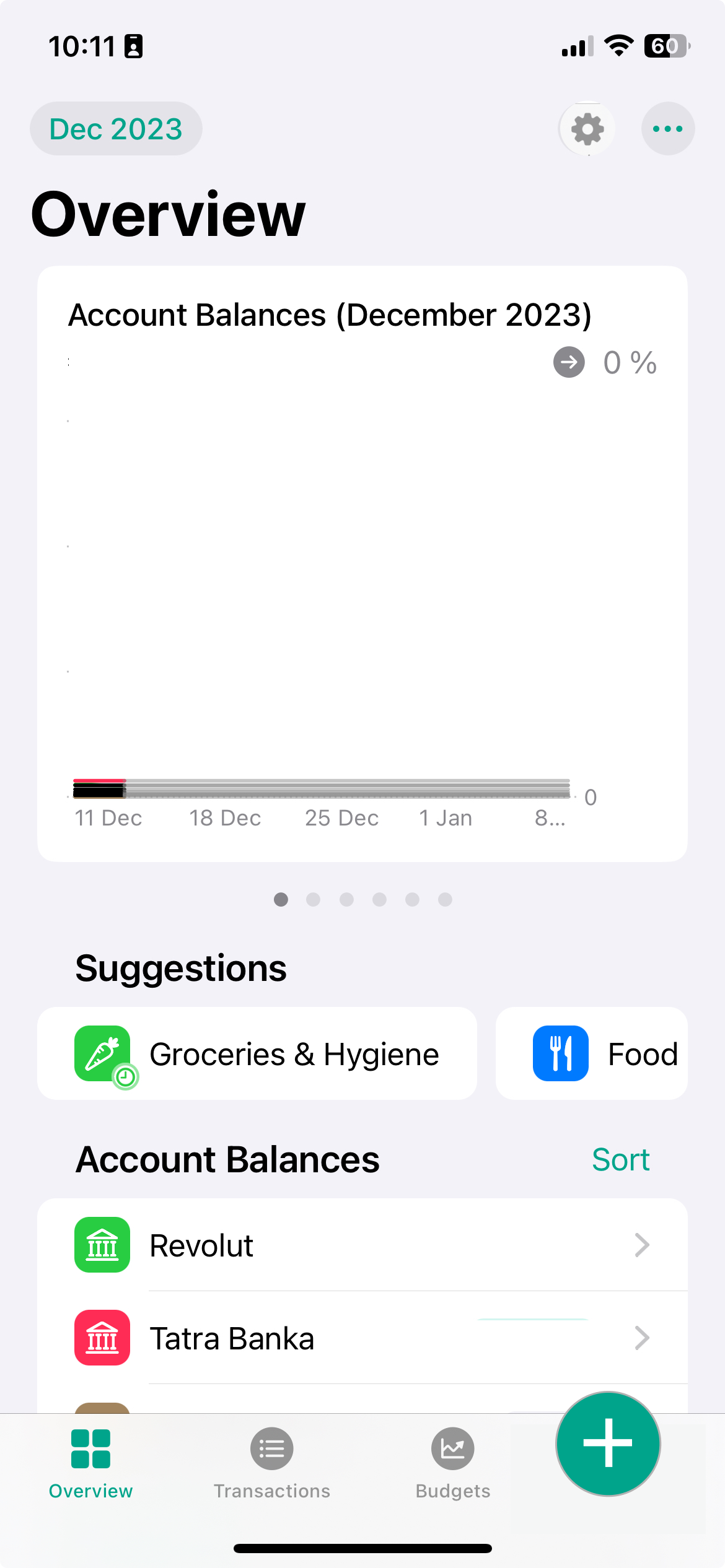
The button is hard to reach
The position of the button makes it very hard to reach with one hand. Also the button is fairly small, which makes it hard to tap it without looking. Ideally user should be able to tap this button just from the memory.
It requires two taps to enter desired interface
This creates lot of friction that shouldn't be there ideally.
What I would suggest:
Relocate the button to the bottom of the app. Maybe switch it up with the settings icon. The settings icon shouldn't be as visited and used as adding a new transaction and users are accustomed to having settings at the top right part of the app. This way the button would be very easy to tap with right thumb. In my opinion the button should be also different and more visible than other design assets.
Make the "expense" transaction default when tapping a button. This way we are reducing the flow to one tap which is quicker and more enjoyable. If user wants a transfer or income transaction, let him change it inside the interface, which is already possible and fairly straightforward.
Log in to comment and vote
Comments4
Fabio
Dec 19, 2023
I don't agree with messing up the UI, as having a Transactions tab and a plus button feels redundant.
Another possibility would be to make the "new expense" action a long press on the Transactions tab at the bottom of the screen by default (this might be more for the "power user"), and offer a selector for the type of transaction from within the view (like the one for switching from a monthly or yearly view), which would also allow changing the type of transaction on the go without having to go back.
I'd still keep the sub-menu when you press the plus sign, though.
brunodizajner
Dec 19, 2023
"I don't agree with messing up the UI, as having a Transactions tab and a plus button feels redundant."
I agree that my example looks wonky at best, otherwise just bad.
I like your idea. Also, swipe up, like when you are refreshing a page might be a good idea too.
If I'm being honest, my comment was made the day I started using the app. Now, few days ago I'm getting used to it. Still I think I have a point.
Rafal
Dec 14, 2023
It sounds quite reasonable. The Plus button, as you said, could default to expense, but a long press with haptic could pop different options (expense/transfer/income).
However atm I just simply have "Add New Expense" under Siri Suggestions and that is my way of speed-running :D
brunodizajner
Dec 14, 2023
Another workaround is to use "suggested" transaction button in overview screen. The siri suggestion is great way of doing it, but thats a feature for power users that know what are doing, the new users should enjoy adding the transaction too.