Math Notes no longer working
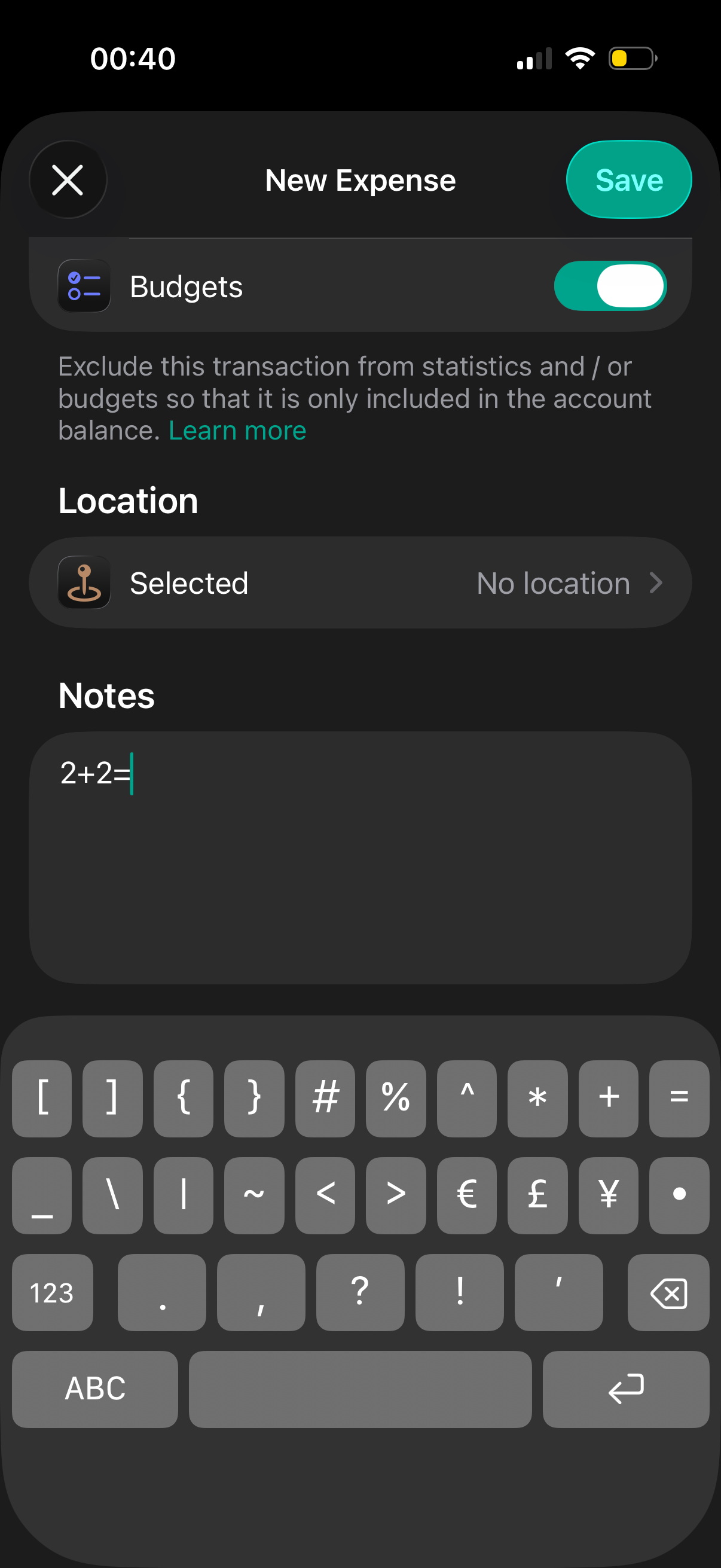
I’m not sure which app version this stopped working but you can no longer use the built-in iOS feature where you enter say “5+5=“ (minus quotes) and it completes the equation and ends up being “5+5=10” (minus quotes)
See first image where after the equal sign it should autocomplete and show and 4 in yellow
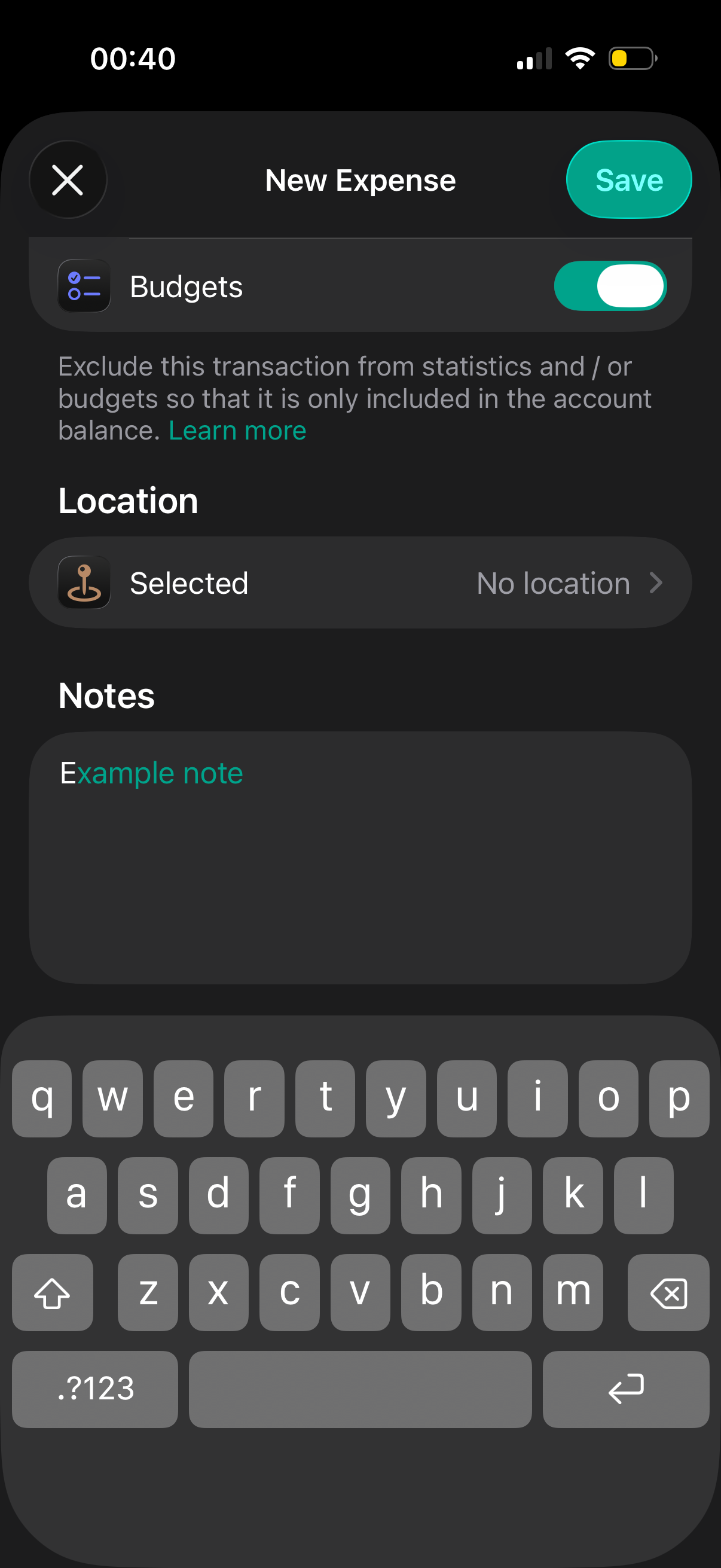
It’s also now trying to autocomplete whatever the first letter or number you enter is
Second image and example: I typed “E” and it used the last text that started with an E so “Example note”
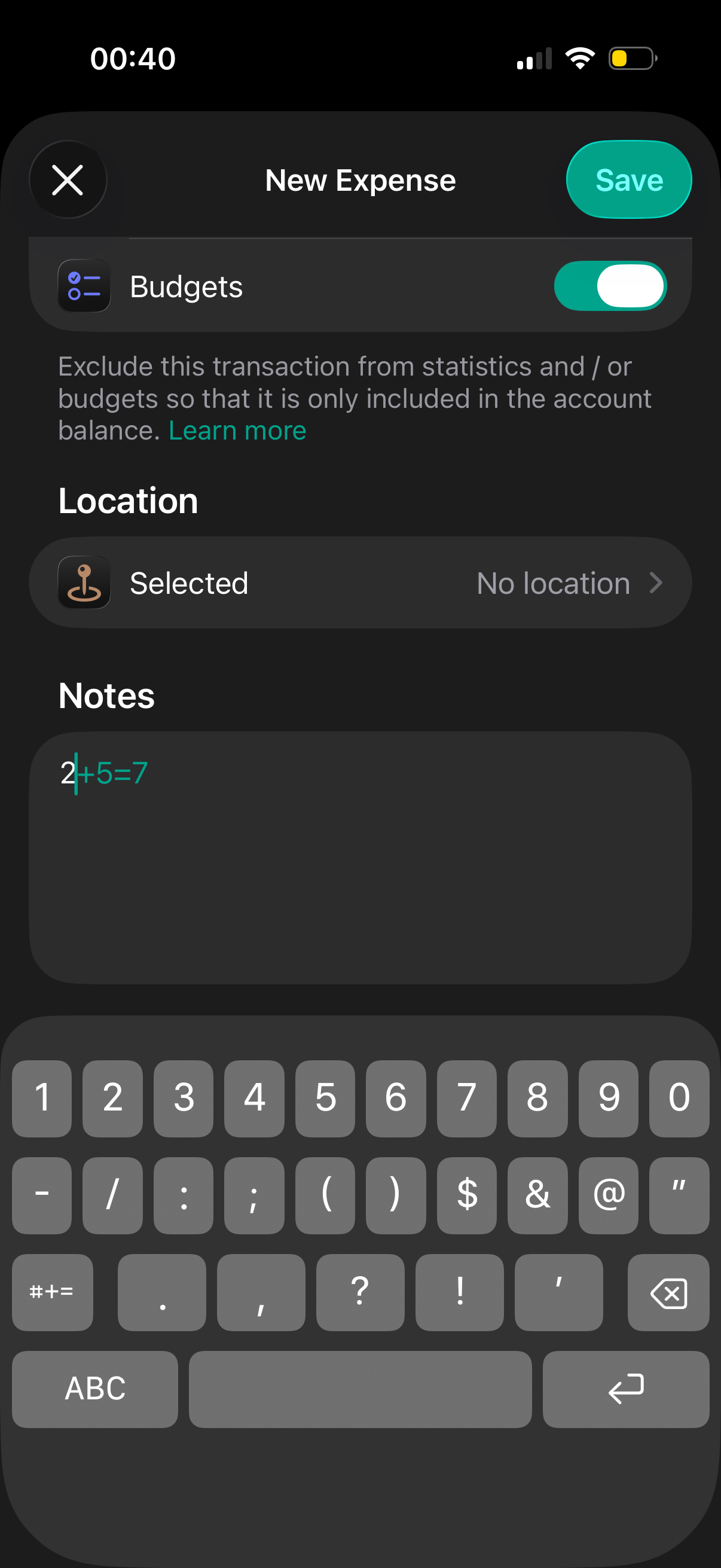
Third image and example: I typed “2” and it used the last number sequence that started with a 2 so “2+5=7”. Note that this equation was manually typed and it’s also did not use the Math Notes feature
Please add back the Math Notes as it’s super convenient when adding various equations in the notes section
Please authenticate to join the conversation.
Inbox

Budget Flow
7 months ago

Human
Subscribe to post
Get notified by email when there are changes.
Inbox
Budget Flow
7 months ago
Human
Subscribe to post
Get notified by email when there are changes.